Task Orchestrator
Repo: rmf2_task_orchestrator · Image: rmf2_task_orchestrator:latest · Container: task_orchestrator
A Rust workflow-execution engine built on open-rmf crossflow. It receives task schedules over AMQP, executes workflow diagrams, and coordinates robots via AMQP / MQTT.
What problem it solves
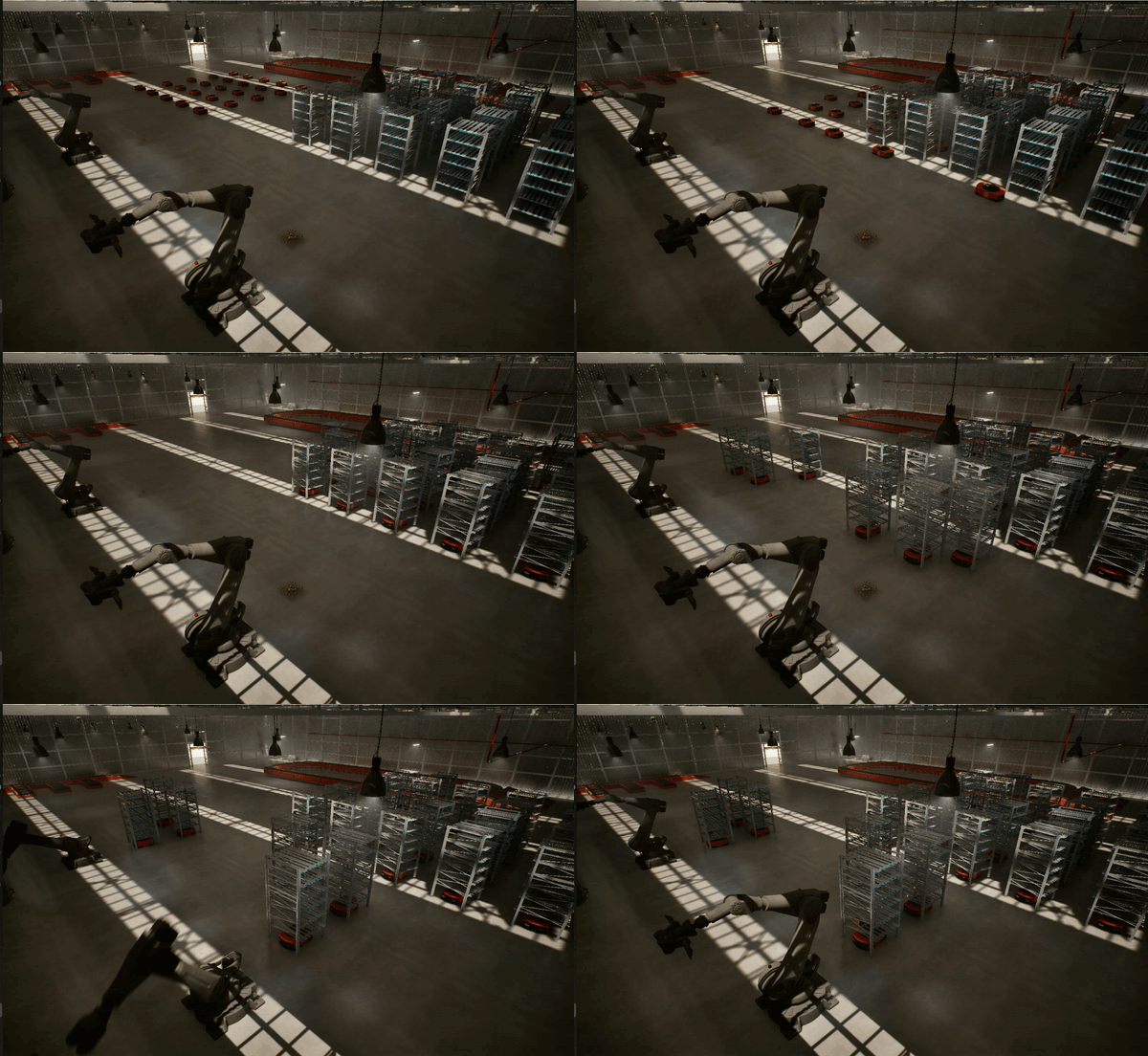
A real warehouse job is rarely a single move: it's "pick at A, then drop at B", "send three robots in parallel and wait for all of them", with pauses, retries and ordering constraints. The orchestrator turns a declarative workflow diagram into coordinated, monitored, multi-robot execution — fanning work out across robots, calling MAPF/robot services in the right order, and reporting status back. It's the layer between "high-level task" and "individual robot actions".
Internal crates
| Crate | Purpose |
|---|---|
rmf2_task_orchestrator | Main binary — HTTP server on port 2727 |
workflow_executor | Crossflow-based workflow engine |
amqp | AMQP client for RabbitMQ communication |
Tasks
A few related concepts show up across the system — worth pinning down:
| Term | What it is |
|---|---|
| TaskRequest | A single requested action on an asset (e.g. liftrack, depalletize). See the Simulation TaskRequest format. |
| Schedule | A wrapper carrying a workflow diagram ({ id, type: "Schedule", payload: <diagram> }) published to the AMQP @RECEIVE@ exchange. |
| Workflow diagram | A Crossflow graph of operations (fork / nodes / join). Samples in workflow_executor/diagrams/. |
| TaskStatus | Progress/completion messages emitted as the workflow runs. |
In short: a Schedule carries a workflow diagram that the orchestrator executes, which in turn issues TaskRequests to robots/services and reports TaskStatus back.
Role in the system
- A scheduler publishes a Schedule (with a workflow diagram) onto the AMQP
@RECEIVE@exchange. - The orchestrator executes the diagram, emitting TaskRequest messages and tracking TaskStatus.
- It coordinates devices and robots with MAPF over MQTT/AMQP, publishing status back onto the
@RECEIVE@amqp exchange
HTTP API
| Endpoint | Method | Description |
|---|---|---|
/ | GET | Crossflow diagram editor UI |
/health_check | GET | Health check (used by the launcher's gate) |
/api/executor/run | POST | Execute a workflow diagram (Crossflow's built-in executor) |
/workflow/get_workflows | GET | List the task_ids of workflows currently executing |
AMQP integration
- Subscribes to the
@RECEIVE@RabbitMQ (localhost:5672) exchange forScheduleandTaskStatusmessages. - Publishes
TaskRequestandTaskStatusmessages to the same exchange.
Try it directly (send to test)
cd ~/ros_industrial_ws/rmf_industrial/test_scripts/taskorchestrator

# default: 3 robots to default goals
python3 send_parallel_workflow_3_robots.py

# choose robots and goals
python3 send_parallel_workflow_3_robots.py \
  --robots Manufacturer_2,Manufacturer_3,Manufacturer_4 \
  --goals  P300,P301,P302
Watch it run:
docker logs task_orchestrator --tail 50 -fFull 25-robot scenario (send_workflow.py)
send_workflow.py runs the whole fleet. It loads two prebuilt diagrams from the same folder and publishes each as its own independent Schedule to @RECEIVE@:
cd ~/ros_industrial_ws/rmf_industrial/test_scripts/taskorchestrator

# publishes both rack workflows (no args needed)
python3 send_workflow.py

# optional: target a remote broker
python3 send_workflow.py --host <amqp-host> --port 5672
The 25 AMRs are split across the two workflows, which the orchestrator executes concurrently:
| Diagram | Schedule id | Robots | Count |
|---|---|---|---|
rack_workflow_1.json | urn:ngsild:Task:rack_wf1 | Manufacturer_1 – Manufacturer_12 | 12 |
rack_workflow_2.json | urn:ngsild:Task:rack_wf2 | Manufacturer_13 – Manufacturer_25 | 13 |
Each diagram is a fork_clone into one sequential branch per robot — drive to a rack (MAPFGoToNode), then liftrack → move to a manipulator → depalletize → droprack (MQTTTaskRequestNode) — all rejoined at the end. Both schedules show up together in GET /workflow/get_workflows while they run:
curl -s http://localhost:2727/workflow/get_workflows | jq
# ["urn:ngsild:Task:rack_wf1","urn:ngsild:Task:rack_wf2"]
Publish a Schedule yourself (AMQP)
Any AMQP client works — publish a Schedule to the @RECEIVE@ fanout exchange. The payload is a Crossflow workflow diagram. Here's a minimal one-node example that sends a single robot to a waypoint via the MAPFGoToNode (the AMQP/MAPF node), then terminates:
{
  "id": "urn:ngsi-ld:Schedule:my-test-01",
  "type": "Schedule",
  "payload": {
    "version": "0.1.0",
    "start": "move_to_goal",
    "ops": {
      "move_to_goal": {
        "type": "node",
        "builder": "MAPFGoToNode",
        "display_text": "Manufacturer_2 -> P300",
        "config": {
          "asset_name": "Manufacturer_2",
          "coordinates": "P300",
          "task_type": "amr_mapf",
          "task_id": "demo_move_1"
        },
        "next": { "builtin": "terminate" }
      }
    }
  }
}
Notes:
buildermust be a node the orchestrator registers — see Workflow nodes below for the full list and each node's config params.coordinatesmust be a real waypoint in the map graph (e.g.P300) — an unknown goal makes the downstream MAPF solver fail. For multi-robot fan-out, add afork_clonestart node, one node per robot, and ajoinbeforeterminate(seesend_parallel_workflow_3_robots.py).payloadmay be the diagram object (as above) or a JSON-encoded string of it; the orchestrator accepts either.
HTTP execution and query endpoints
The AMQP path above is the one exercised by the demo, and it's the recommended way in. Under the hood the orchestrator forwards each Schedule to Crossflow's built-in executor at POST /api/executor/run (port 2727) — you can call that endpoint directly with a { "diagram": <diagram>, "request": <context> } body if you need to bypass AMQP.
The /workflow namespace only serves queries, not submissions — currently GET /workflow/get_workflows, which lists the task_ids of workflows in flight. The interactive diagram editor is served at the root path /.
Building workflows
There are three ways to author a diagram:
- By hand — write the
opsJSON directly (see the example above). Fine for small graphs. - Programmatically — generate the
fork_clone/buffer/joinops in a script, likesend_parallel_workflow_3_robots.py. Best for N-robot fan-out. - Visually, in the Crossflow editor — the orchestrator serves Crossflow's diagram-building frontend at the root path, e.g. http://localhost:2727/. There you can lay out nodes, wire the
nextedges, fill in each node'sconfig, and run the diagram through the built-in executor (POST /api/executor/run) — the same execution path AMQPSchedules use. To run it later over AMQP, wrap the exported diagram in aScheduleand publish it to@RECEIVE@as shown above.
For a step-by-step workflow building guide, see Create a workflow.
Workflow nodes
These are the builder types the orchestrator registers (in workflow_executor/src/nodes.rs). Each diagram op of "type": "node" names one of them and passes a config object.
Registration is client-gated: the three AMQP nodes (DefaultNode, MAPFGoToNode, WaitAMRTaskNode) register only when an AMQP client is configured; MQTTTaskRequestNode registers only when an MQTT client is configured. Unknown/unavailable builders fail the diagram.
Structural ops are Crossflow built-ins, not custom nodes: fork_clone (split into parallel branches), join (wait for buffers), buffer (a wait/hand-off point), and the terminal { "builtin": "terminate" }.
MAPFGoToNode — AMR move via MAPF (AMQP)
Publishes a TaskRequest to AMQP and blocks until the matching TaskStatus returns. The node's task id is formatted as urn:ngsi-ld:Task:{task_id}, and the emitted request's taskType is always amr_mapf (the task_type config below is only a label).
| Param | Type | Default | Description |
|---|---|---|---|
asset_name | string | "" | Robot id, e.g. Manufacturer_2 |
coordinates | string | "" | Goal waypoint — must exist in the map graph (e.g. P300) |
task_type | string | "" | Label only; the published taskType is hardcoded to amr_mapf |
task_id | string | "" | Unique per node; wrapped as urn:ngsi-ld:Task:{task_id} |
publish_exchange | string | @RECEIVE@ | Exchange the TaskRequest is published to |
publish_routing_key | string | "" | Routing key (ignored by the fanout exchange) |
response_exchange | string | @RECEIVE@ | Exchange the response listener binds to |
response_queue_prefix | string | @RECEIVE@-task- | Queue-name prefix for the response listener |
MQTTTaskRequestNode — devices/handover task (MQTT)/manipulation
Used for liftrack / depalletize / droprack / dropoff. Publishes a TaskRequest to asset/{asset_id}/task_request, subscribes to asset/{asset_id}/task_status, and waits for a terminal status: COMPLETED → node done, FAILED → node fails, REJECTED → re-publish (up to max_retries). The outgoing request id is {id}:TaskRequest.
| Param | Type | Default | Description |
|---|---|---|---|
id | string | "" | Base task id, e.g. urn:ngsild:Task:task_Depalletize001 |
task_type | string | "" | liftrack / depalletize / droprack |
task_command | string | START | taskCommand field on the request |
asset_id | string | "" | Target asset — sets the MQTT topic asset/{asset_id}/task_request |
task_params | object | {} | Arbitrary params forwarded in the request |
task_expected_start | string | "" | Passed through to the request |
task_expected_end | string | "" | Passed through to the request |
max_retries | int | 3 | Re-publish attempts on REJECTED |
WaitAMRTaskNode — timed wait (AMQP)
Sleeps for wait_duration_secs, then publishes a TaskStatus: COMPLETED (id {task_id}:TaskStatus) to @RECEIVE@. Handy for awaiting/simulating an AMR step without a robot.
| Param | Type | Default | Description |
|---|---|---|---|
asset_name | string | "" | Robot id (logging) |
task_id | string | "" | Used to build the emitted TaskStatus id |
task_type | string | "" | taskType on the emitted status |
wait_duration_secs | int | 14 | Seconds to wait before completing |
DefaultNode — pass-through (AMQP)
Logs and forwards the workflow context unchanged. Useful as a placeholder.
| Param | Type | Default | Description |
|---|---|---|---|
task_id | string | "" | Identifier used in logs |
Run
Via the demo launcher (recommended):
./task_orchestrator_control.sh start # or: start_environment_tmux.sh (step 5)Standalone:
docker run -d \
  --name task_orchestrator \
  --network rmf2_broker_rmf-network \
  -p 2727:2727 \
  -e TASK_ORCHESTRATOR__AMQP__HOST=rmf2_broker-rabbitmq-1 \
  -e TASK_ORCHESTRATOR__MQTT__HOST=mosquitto \
  rmf2_task_orchestrator:latest
Configuration
Environment variables (override config.toml):
| Variable | Default | Description |
|---|---|---|
RUST_LOG | info | Log level (debug/info/warn/error) |
TASK_ORCHESTRATOR__HTTP__HOST | 0.0.0.0 | HTTP bind address |
TASK_ORCHESTRATOR__HTTP__PORT | 2727 | HTTP port |
TASK_ORCHESTRATOR__AMQP__HOST | localhost | RabbitMQ host |
TASK_ORCHESTRATOR__AMQP__PORT | 5672 | RabbitMQ port |
TASK_ORCHESTRATOR__MQTT__HOST | localhost | MQTT host |
TASK_ORCHESTRATOR__MQTT__PORT | 1883 | MQTT port |
Limitations
Known constraints in this version:
- AMQP exchange is fanout-only. The exchange kind is hardcoded to
fanout(both the consumer and publisher inamqp/src/amqp.rs) — it is not configurable, sodirect/topic/headersrouting is not supported.routing_keyis therefore ignored; every bound consumer receives every message. - Task IDs must be unique. The orchestrator correlates AMQP
TaskStatusresponses back to in-flight requests bytask_id(and tracks active workflows byScheduleid). Two tasks sharing an id collide. A response can be delivered to the wrong waiter and duplicateScheduleids clash inget_workflows. Give every node and schedule a distinct id.- Workaround: omit
task_idfrom a node'sconfigentirely rather than reusing one.
- Workaround: omit
Local development
# Ubuntu 22.04 + ROS 2 Humble
sudo apt install clang ros-humble-example-interfaces ros-humble-geometry-msgs ros-humble-std-msgs
curl --proto '=https' --tlsv1.2 -sSf https://sh.rustup.rs | sh

source /opt/ros/humble/setup.bash
cargo build --release
RUST_LOG=debug cargo run
For FastDDS discovery, also source ~/ros_industrial_ws/ros_industrial_demo/launch/fastdds_setup.sh before running.
Troubleshooting
docker logs task_orchestrator --tail 50
curl -sf http://localhost:2727/health_check && echo "orchestrator up"