MAPF (unified)
Repo: mapf_unified_repo · Image: mapf_unified:latest · Container: mapf_unified
Multi-Agent Path Finding. This is a single container that bundles six MAPF-related services (previously six separate containers) managed by supervisord.
What problem it solves
In a warehouse, many robots share the same aisles and intersections. If each robot plans its own route, they deadlock and collide. MAPF plans time-coordinated, collision-free paths for the whole fleet at once (ECBS solver), compiles them into an action-dependency graph the executor can drive, and exposes the map and live robot positions through Scorpio so planning always uses current state.
In one line: many robots, one floor, no collisions — and keep them moving.
How it works
MAPF can be operated without any knowledge of its internals, but two principles explain the behavior of the services described below.
The mental model
The system deliberately separates planning from execution and applies a different assumption about time to each.
- Planning assumes a synchronized clock. The
mapf_solverplans for the entire fleet at once, treating every robot as advancing in lockstep across discrete timesteps (t = 0, 1, 2, …). Planning against a single shared clock is what allows the resulting paths to be guaranteed collision-free. The solver uses the ECBS algorithm (Enhanced Conflict-Based Search), which accepts a small, bounded loss of optimality in exchange for substantially faster planning. - Execution assumes no shared clock. In practice, robots advance at different and unpredictable rates — one may pause while another proceeds quickly. To stay safe under these conditions, the executor converts the timestep-based plan into an Action Dependency Graph (ADG): a partial order in which each move waits for the specific predecessor action it depends on rather than for a clock value. This preserves the solver's collision-freedom regardless of how fast or slowly individual robots move.
In short, the fleet is planned as though perfectly synchronized, yet executed as a set of dependencies that remain safe under real-world timing.
The diagram below traces one concrete crossing through both phases: robot 1 passes through the shared node X first, so robot 2 is planned to wait one timestep — and at execution that wait becomes a dependency on robot 1 actually vacating X.
Request → plan → execute
A movement request progresses through the services in a single direction.
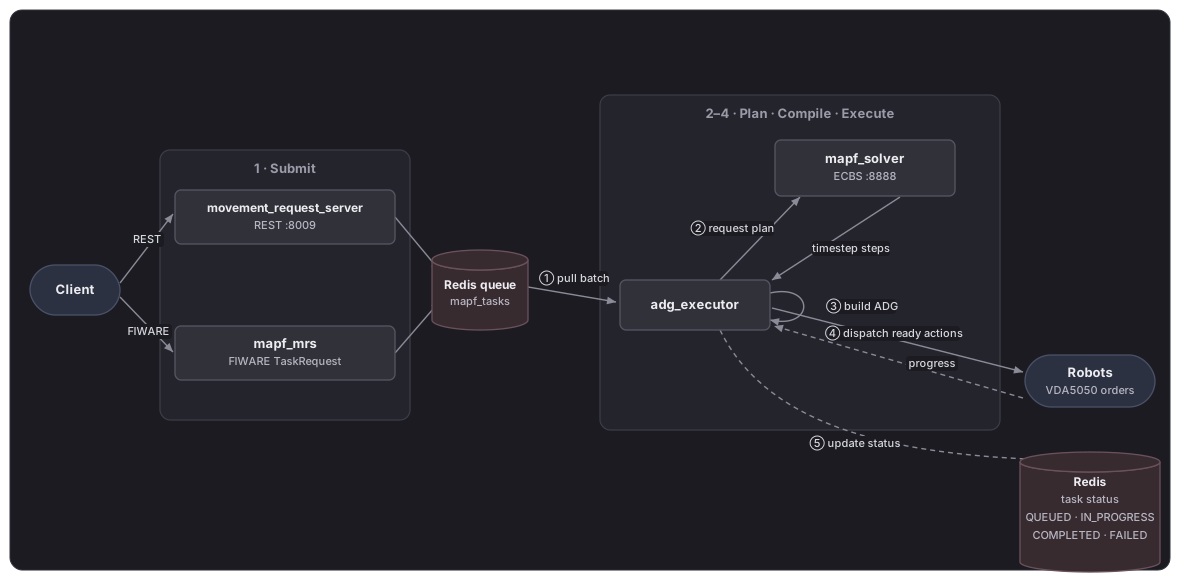
- Submit. A client submits node-named tasks — for example, moving a robot from
P5toP1— either through the REST API ofmovement_request_serveror as aTaskRequestreceived bymapf_mrs. Both entry points place the request onto a shared Redis queue (mapf_tasks); neither performs any planning itself. - Plan. The
adg_executorretrieves the queued batch, translates the node names into map coordinates, and requests a plan frommapf_solver. The solver returns, for each robot, a sequence of steps stamped with the timestep at which each step occurs. - Compile. The
adg_executorbuilds the Action Dependency Graph from those steps. It links each robot's own moves in sequence and adds a cross-robot dependency wherever one robot must vacate a node before another is permitted to enter it. - Execute. The executor dispatches each action that is ready as a VDA5050 order. An action becomes ready once the actions it depends on across other robots have completed; to avoid unnecessary stalls, each robot may have up to three of its own upcoming moves queued in advance. As robots report their progress, completed actions release the actions that depend on them, and execution proceeds incrementally until the task is complete.
Throughout execution, the task's status — QUEUED, IN_PROGRESS, COMPLETED, or FAILED — is recorded in Redis under the task identifier, and this is the value returned by /mapf/monitor_task.
The map is defined by a single RMF YAML file listing named nodes and the lanes between them. It is shared by two consumers: mapf_solver reads it for path planning, and fiware_map_server publishes it to the context broker so that other services can query the current map.
Services inside the container
| Service | Port(s) | Purpose |
|---|---|---|
fiware_map_server | 7073 (HTTP/Flask) | Uploads maps to the context broker |
load_maps | — (one-shot) | Loads YAML maps at startup |
mapf_solver | 8888 (HTTP) | MAPF path-planning solver (ECBS) |
adg_executor | 6333 (HTTP), 1932 (MQTT) | ADG execution engine |
mapf_mrs | 1933 (MQTT) | Movement request server |
movement_request_server | 8009 (HTTP/FastAPI) | REST API for movement requests |
┌─────────────────────────────────────────────────────────┐
│                   mapf_unified container                │
│  supervisord (process manager)                          │
│  ├── fiware_map_server     → :7073 (HTTP/Flask)         │
│  ├── load_maps             → (one-shot at startup)      │
│  ├── mapf_solver           → :8888 (HTTP)               │
│  ├── adg_executor          → :6333 (HTTP), :1932 (MQTT) │
│  ├── mapf_mrs              → :1933 (MQTT)               │
│  └── movement_request_svr  → :8009 (HTTP/FastAPI)       │
│                                                         │
│  External deps: mosquitto · redis · scorpio · rabbitmq  │
└─────────────────────────────────────────────────────────┘
The launcher's port-8888 health gate is what tells it MAPF is ready.
Role in the system
The Task Orchestrator asks MAPF for collision-free paths; the solver plans them, the ADG executor drives execution, and the MRS/movement gateway turn plans into movement requests that ultimately become VDA5050 orders. Maps and robot positions are exchanged via the context broker.
MAPF Simulation and Testing
The quickest way to see MAPF working — no full stack required — is to send one problem straight to the solver and render the collision-free plan as a GIF. See the MAPF Solver Test + Visualization guide in the ros_industrial_demo repository, under test_scripts/mapf/README.md.
Demo
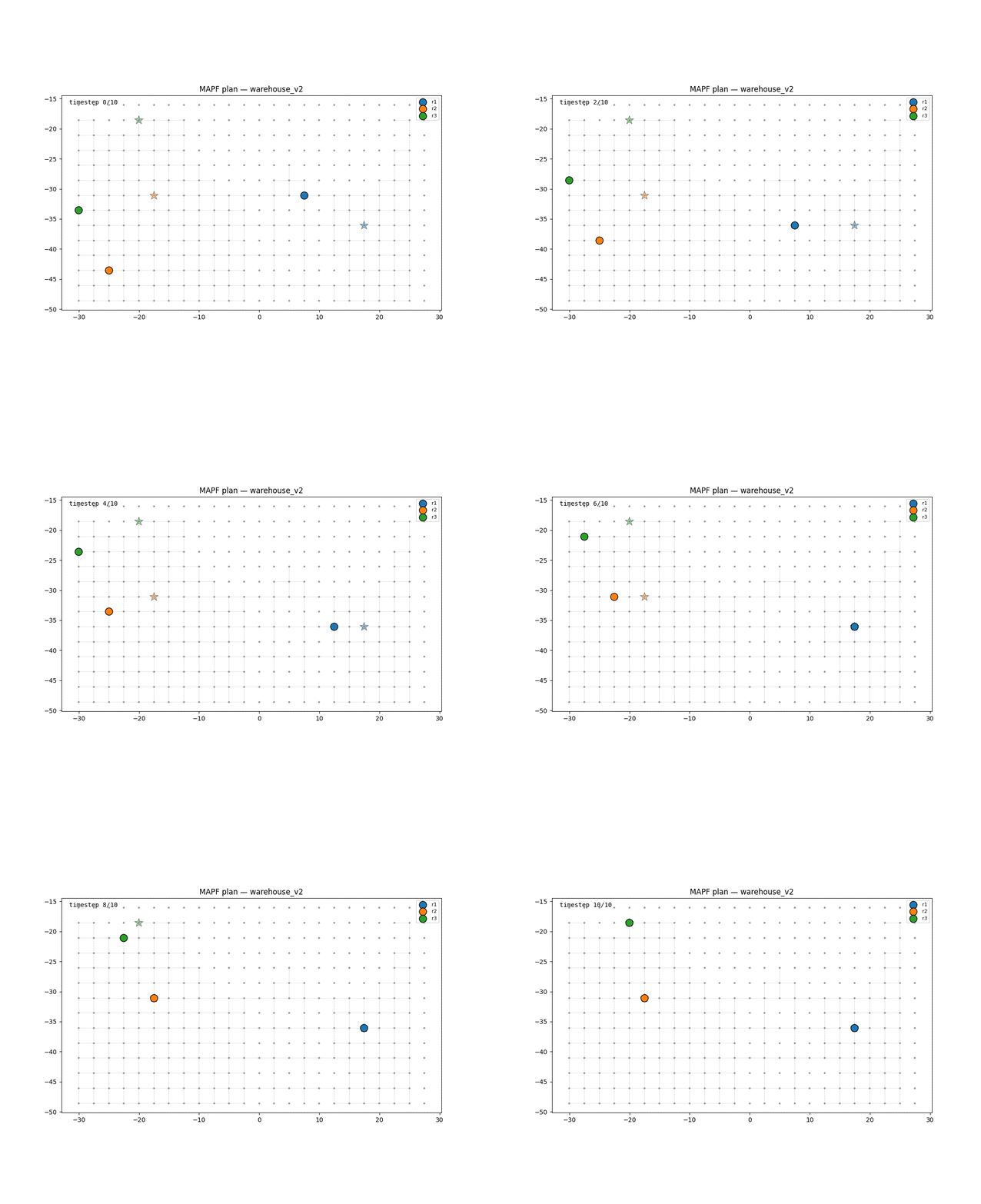
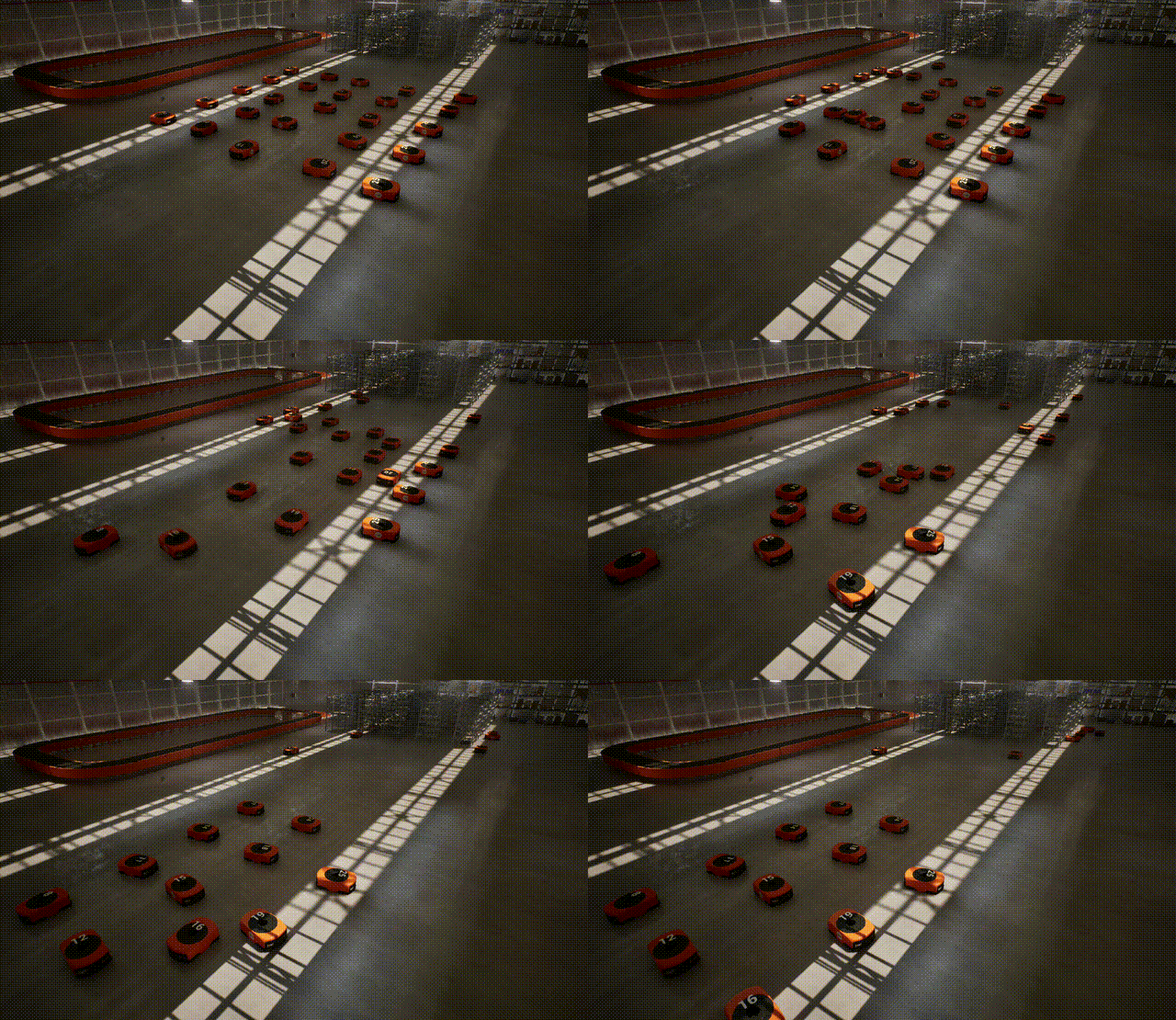
cd ~/ros_industrial_ws/ros_industrial_demo/test_scripts/mapf
./loop_tasks.sh 24 1
Key environment variables
| Variable | Default | Description |
|---|---|---|
MQTT_SERVER_HOST | mosquitto | MQTT broker hostname |
REDIS_HOST | redis | Redis hostname |
CONTEXT_BROKER_HOST | scorpio | context broker |
AMQP_HOST | rmf2_broker-rabbitmq-1 | RabbitMQ hostname |
BUILDING_NAME | warehouse_os_setup_v2 | Map / building name |
MAP_SERVER_PORT | 7073 | map server port |
See .env in the mapf_unified_repo for the full list.